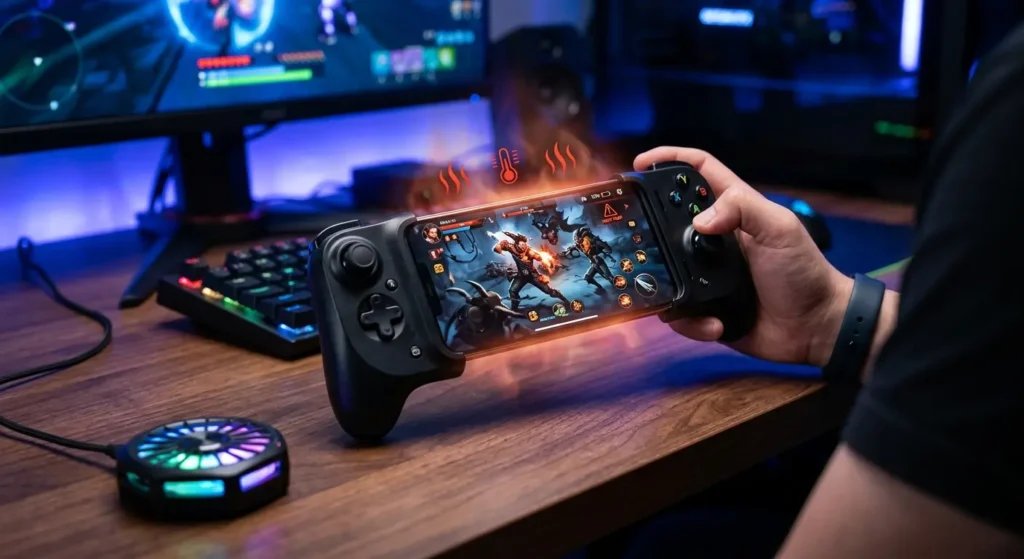
Mobile gaming has evolved into a powerhouse industry. With stunning graphics and competitive multiplayer matches, smartphones now rival traditional portable consoles. To get a competitive edge, millions of players pair their devices with a high-performance mobile gaming controller.
However, intense gaming sessions often bring a frustrating side effect: severe phone overheating.
When your phone gets too hot, it throttles performance, drops frames, drains the battery rapidly, and can even cause permanent hardware damage. If your smartphone feels like a literal hot potato when attached to your gamepad, you aren’t alone.
Here is a comprehensive guide explaining why your mobile gaming controller causes your phone to overheat and, more importantly, exactly how to stop it.
Why Does Your Phone Overheat When Using a Controller?
Before diving into the solutions, it helps to understand the physics of a mobile gaming setup. Smartphones rely on passive cooling, meaning they distribute heat through their body and glass back into the surrounding air.
When you clamp a wrap-around, telescopic, or clip-on gaming controller onto your phone, you are physically blocking that surface area. The controller acts as an unintended thermal insulator, trapping the heat generated by the processor. Combine that structural barrier with a high-demand game running at max frames per second, and your device will quickly cross the thermal threshold.
Proven Ways to Stop Overheating During Mobile Gaming
To keep your frame rates high and your device cool, implement these practical, hardware-friendly optimization strategies.
1. Choose the Right Mobile Gaming Accessories
Not all mobile setups are engineered equally. If your current gamepad fits too tightly or covers the entire back panel of your phone without ventilation channels, it might be time to upgrade your gear.
Investing in ergonomically designed, well-ventilated mobile accessories can dramatically change how heat dissipates from your phone’s chassis. Look for controllers that feature minimal back coverage or cutouts explicitly designed to let airflow hit the back glass of the phone.
2. Ditch the Heavy Phone Case
It is a common mistake: keeping a thick, rugged defense case on your phone while inserting it into a telescopic mobile controller. Thick TPU, plastic, or leather cases act like a winter coat for your processor.
Before clipping your phone into your favorite mobile gaming controller, always remove its protective case. Letting the bare back of your phone breathe ensures that heat can escape into the open air rather than remaining trapped against the internal battery.
3. Attach an External Phone Cooler
If you are playing graphic-intensive titles like Genshin Impact, Call of Duty: Mobile, or PUBG Mobile, passive airflow might not cut it. Heavy-duty mobile gamers frequently use external, magnetic, or clip-on semiconductor cooling fans.
Many modern, top-tier gaming controllers are shaped to leave just enough room on the back of your smartphone to attach a Peltier-effect cooling fan. These active coolers drop your phone’s temperature by several degrees within seconds, entirely eliminating thermal throttling.
4. Optimize In-Game Graphics and Settings
While it’s tempting to slide every graphic slider to “Ultra” or “Max,” doing so forces your phone’s CPU and GPU to work at 100% capacity constantly.
To reduce the thermal load while playing with a controller:
- Cap the Frame Rate: Lower your target frame rate from 120Hz or 90Hz down to a stable 60Hz.
- Lower Resolution/Shadows: High-resolution textures and real-time shadows are notorious for generating rapid heat.
- Disable Motion Blur: Turning off unnecessary post-processing effects keeps your processor running much cooler.
5. Manage Background Apps and Charging Habits
Playing games while fast-charging your device creates a massive amount of heat because the charging circuit and the processor emit thermal energy simultaneously.
- Avoid Gaming While Charging: Try to charge your phone to 80% or higher before initiating a gaming session. If you must charge while playing, use a standard slow charger rather than a high-wattage fast charger.
- Close Unused Background Applications: Social media apps, GPS trackers, and background downloads eat up RAM and processor cycles. Clear your background apps to ensure your phone focuses entirely on the game.
Keep Your Hardware Safe and Your Gameplay Smooth
Overheating isn’t just an annoyance that causes lag; over time, sustained high temperatures degrade your phone’s lithium-ion battery health and reduce its overall lifespan.
By removing your phone case, adjusting your visual settings, and choosing premium, breathable gaming gear, you can enjoy long, uninterrupted sessions without worrying about thermal lag or hardware damage. Head over to Mission Tech Hub to find the best accessories and gear to optimize your competitive mobile gaming setup today!